Engage pension portal

Secure access to your pension, just a click away

Manage your LGPS pension savings with ease using Engage – your secure and convenient online member self service portal.

In the Engage pension portal you will find everything you need to stay informed and in control of your pension. And with high availability around the clock access, the portal allows you to review your pension details and estimate future benefits, whenever it suits you.

Engage's key features make managing your pension simple and accessible:


 Quick and Easy Retirement Planner:
Estimate your future retirement income effortlessly with Engage’s Retirement Planner, designed to help you navigate your pension figures with minimal jargon.


 Online Annual Benefit Statements (ABS):
View and compare current and previous years’ ABS, all stored in one convenient location for easy access.


 Instant Profile Updates:
Update your beneficiaries and personal information immediately, ensuring your records are always current.


 Enhanced Security:
Enjoy peace of mind with two-factor authentication and secure document upload capabilities, keeping your information safe and protected.

Whether you are an active, deferred, or retired member, Engage offers personalised tools and resources tailored to your needs. Register or login today to explore your pension account, stay updated on your pension benefits, and ensure a secure retirement future with Gloucestershire Pension Fund.

Your future, at your fingertips.

Engage pension portal video - a how-to guide


Having trouble seeing the video?  Click here to watch it on YouTube

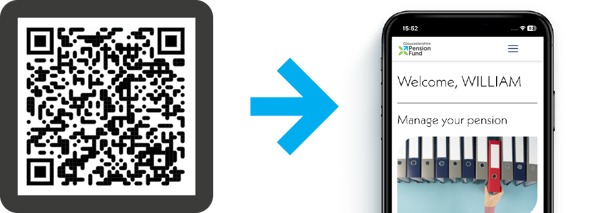
If you would like to login on your mobile phone, please scan this QR code:

Frequently Asked Questions:


Account access and registration

 If it is your first time signing in you will need to click the “create account” button.

 If you have recently joined the pension scheme then we may not have received your starter information from your employer - please try again in a few weeks. 

 Click on ‘Watch our registration tutorial’.

 The only statuses that can sign up are Active, Deferred and Pensioners.  If you have recently left, or we have been notified late by your employer of your leaving information, we may still be processing your record and you will not be able to access your figures at this stage.

 If it is your first time signing in you will need to click the “create account” button.

 If you have recently joined the pension scheme then we may not have received your starter information from your employer - please try again in a few weeks. 

 Click on ‘Watch our registration tutorial’.

 The only statuses that can sign up are Active, Deferred and Pensioners.  If you have recently left, or we have been notified late by your employer of your leaving information, we may still be processing your record and you will not be able to access your figures at this stage.

 The portal will tell you which email address it is sending the email too. Make sure you are checking the correct address. 

 Have you checked your junk folder?

 Have you accessed your emails on a laptop or desktop? (As mobile phones may hide this information.)

 Click ‘Watch our registration tutorial’ at the bottom of the sign in page.

 The portal will tell you which email address it is sending the email too. Make sure you are checking the correct address. 

 Have you checked your junk folder?

 Have you accessed your emails on a laptop or desktop? (As mobile phones may hide this information.)

 Click ‘Watch our registration tutorial’ at the bottom of the sign in page.

 You will need to click 'create an account' and ensure you have ticked the ‘use of personal data’ box - this will then allow you to click on ‘I have an activation code’. You will then be able to confirm your details on the next screen.

 You will need to click 'create an account' and ensure you have ticked the ‘use of personal data’ box - this will then allow you to click on ‘I have an activation code’. You will then be able to confirm your details on the next screen.


Service availability and errors

 Engage offers high availability around the clock, with a short daily maintenance and back-up window between 10:30pm and 1:00am to ensure optimal performance and security.

 Engage offers high availability around the clock, with a short daily maintenance and back-up window between 10:30pm and 1:00am to ensure optimal performance and security.

 Our Pension system may be receiving updates, running calculations or closed for maintenance, please bear with us and try again.  If you are still getting this message after a few days please contact us.

 Our Pension system may be receiving updates, running calculations or closed for maintenance, please bear with us and try again.  If you are still getting this message after a few days please contact us.


Your records and employment

 If you have 2 pension records these will be shown separately and you will have to select which record you wish to see manually in the drop down under the separate sections of the portal.

 If that does not help, it may be that we are processing something on your record and you will not be able to access your figures at this time. Try again later, and if still not visible please contact us.

 If you have 2 pension records these will be shown separately and you will have to select which record you wish to see manually in the drop down under the separate sections of the portal.

 If that does not help, it may be that we are processing something on your record and you will not be able to access your figures at this time. Try again later, and if still not visible please contact us.

 Your service details are held under the Details & Settings tab - click on Employment details then Membership Details. Shown under the Job Details drop arrow are details of your current employer, the date you joined your employer, the date you joined the scheme, whether you are full or part time, and the start date of your current employment. You will find your service history breakdown under the Service History drop arrow.  If you are full time but only work term time weeks this will show as part time. 

 Your service details are held under the Details & Settings tab - click on Employment details then Membership Details. Shown under the Job Details drop arrow are details of your current employer, the date you joined your employer, the date you joined the scheme, whether you are full or part time, and the start date of your current employment. You will find your service history breakdown under the Service History drop arrow.  If you are full time but only work term time weeks this will show as part time. 


Benefits and figures

 If you have more than one pension record (job roles) these will be shown/calculated separately and you will have to select which records you wish to see manually in the drop down list under:

    • Employment (in the ABS tab).

    • Pension to calculate (in the benefit calculators tab).

    • Employment (in the latest valuation tab).

Transfer-ins may not be included in the dates shown for your employments, but will be included in the pension totals.  If you wish to check your transfer details please contact the helpline. 

 If you have more than one pension record (job roles) these will be shown/calculated separately and you will have to select which records you wish to see manually in the drop down list under:

    • Employment (in the ABS tab).

    • Pension to calculate (in the benefit calculators tab).

    • Employment (in the latest valuation tab).

Transfer-ins may not be included in the dates shown for your employments, but will be included in the pension totals.  If you wish to check your transfer details please contact the helpline. 

 The Retirement Planner will calculate pension benefits (inclusive of reductions) at your chosen retirement age totalled across all pension records you haven’t taken benefits on.

 The Retirement Planner will calculate pension benefits (inclusive of reductions) at your chosen retirement age totalled across all pension records you haven’t taken benefits on.


Your details and documents

 As the site is relatively new, old/historic documents will not have been published but new documents will start being published in the near future and you will receive an email when there is a new document for you to view.

 As the site is relatively new, old/historic documents will not have been published but new documents will start being published in the near future and you will receive an email when there is a new document for you to view.

 Enter the relationship as Spouse if married, and Dependent for anything else, including charities. 

 Contact details - enter these however you prefer, but you must enter at least one of: email, home address, phone number.

 Enter the relationship as Spouse if married, and Dependent for anything else, including charities. 

 Contact details - enter these however you prefer, but you must enter at least one of: email, home address, phone number.